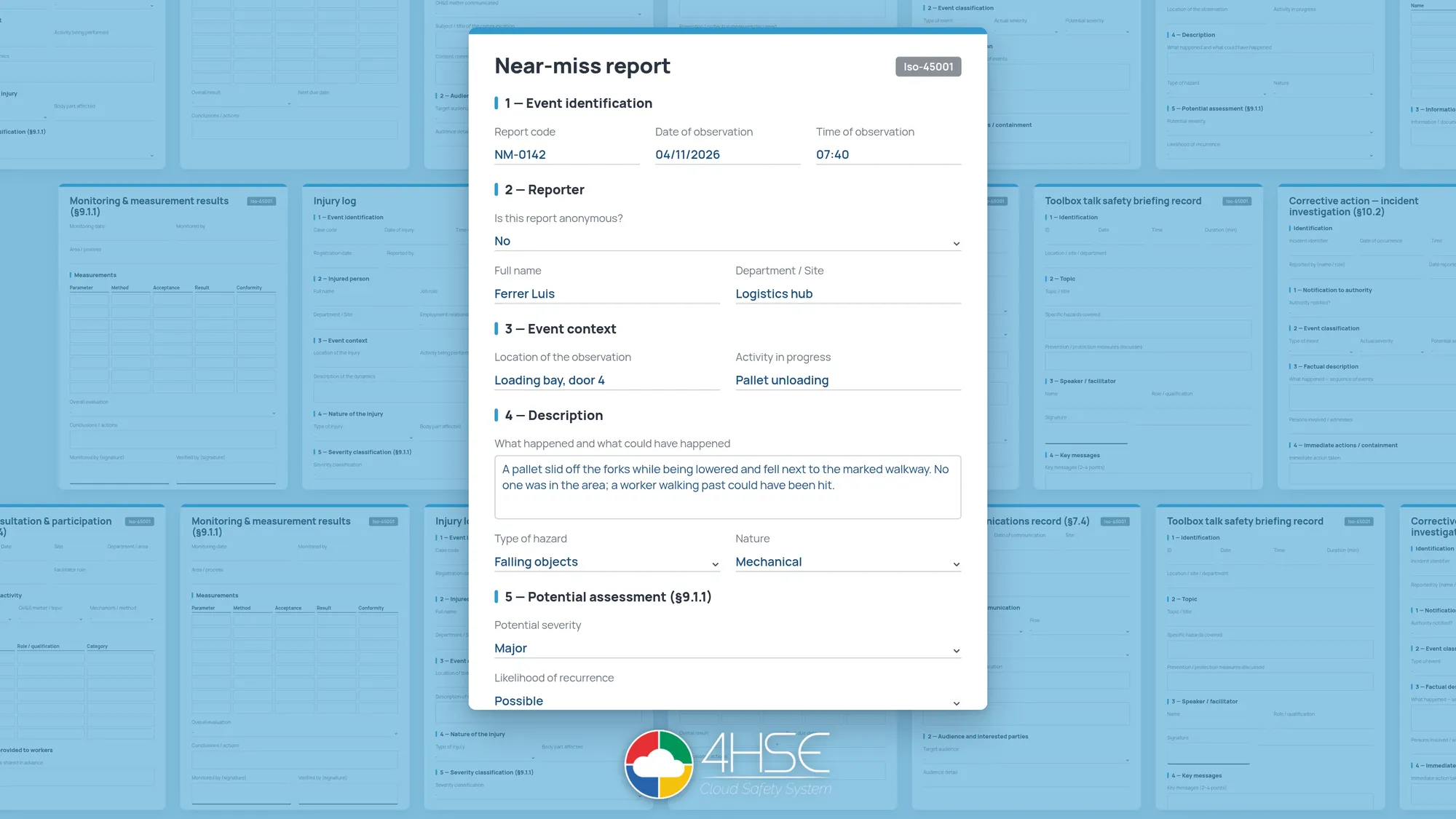
4HSE introduces a library of predefined forms for managing ISO 45001 processes. It includes twelve forms, available in five languages (Italian, English, French, German and Spanish) and with versions for Italy, the United Kingdom, France, Germany and Spain. The library is already active in every project.
The 4HSE editor has allowed custom forms to be built for years. The work involved, however, is not always simple: an audit report, a near miss report or a nonconformity analysis each require a structure, fields and information that have to be defined with care.
The new library makes those structures available ready-made. On top of that, the forms suggested change according to the record you start from: from an item of equipment, for example, the maintenance and calibration forms appear, not the ones for worker consultation. Once completed, the form stays attached to the equipment or the event it refers to.
Twelve forms for management system processes
The library focuses on the activities that call for recurring records: event management, inspections, equipment checks and worker involvement.
| Process | Available forms |
|---|---|
| Events and nonconformities |
|
| Monitoring and audit |
|
| Equipment |
|
| People and communication |
|
Every form comes with a structure and a set of defined fields, which can be used as they are or adapted to how the organization works. The description also indicates the ISO 45001 clause the form answers to, for example §9.1.1 or §10.2: a useful reference for anyone preparing for a certification audit.
Filling in starts from the activity
The forms are not kept in a separate archive to be searched every time a document is needed. They are linked to 4HSE records and can be filled in directly from the context where the activity takes place. Where possible, information already held in the system is carried over automatically. The library opens from the attachments of any record, through the Fill in a form command.
An example: a technician carries out the periodic maintenance of a forklift. Once the job is done, they record the maintenance certificate from the 4HSE app, on site. The app then suggests the maintenance and calibration form: the technician fills it in with the details of the job, signs it, and the form is attached to the certificate automatically.
Once closed, the record becomes final and can no longer be edited. When, even months later, someone needs to check how the maintenance was carried out, all the information is available together with the certificate, in the equipment record.
Five languages and country versions
A group with sites in several countries, or a consultant following different clients, needs the same library to work in different contexts. Each form exists in the languages and national versions provided. The search starts from the country of the site and the language of the user, and the filters can be changed with one click: for a British branch, the United Kingdom is already selected.
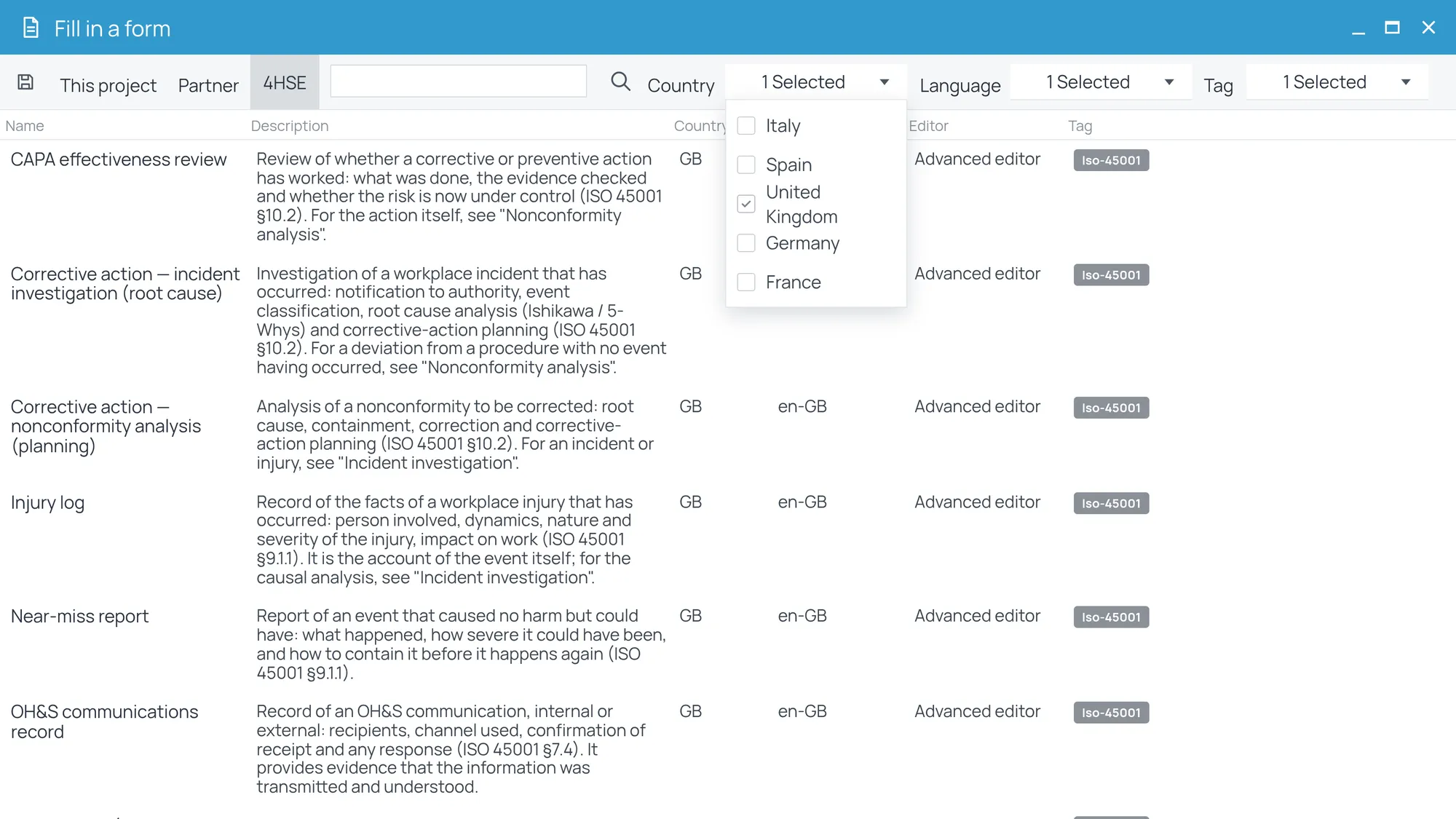
The forms in a project, both those already available and those created later, can be marked with custom labels (tags), for example by standard or by risk area. The tag adds to the other filters: when many different forms can be filled in from the same record, it narrows the search down to the ones needed, such as those covering fire safety.
Predefined, and still customizable
The forms in the library can be adapted to the procedures and the information each project requires. You start from a structure that is already in place and change only what needs changing, without rebuilding the form from scratch. The customized version stays within the project, while the library original remains unchanged and always available.
For consultants there is a further advantage: a form customized once can be made available to every project in the multi-company panel, with no need to redo it for each client.
Evidence stays where the activity happens
For anyone running an ISO 45001 system, the main advantage is that records stay where they are created. Every completed form is attached to the record of the event or the equipment it refers to and, once closed, can no longer be edited: when the audit comes, the evidence is already where the activity took place, with the reference to the clause of the standard. This is the principle behind operational compliance: every activity leaves its own proof.
Documents can also be organized in the 4HSE file system folders, according to the criteria of the organization, and can always be exported.
The rest of version 2.58
The ISO 45001 library is one of the features of version 2.58, which also brings updates to reports, printing and QR codes. More on those shortly.
The guide to filling in forms is available in the 4HSE documentation, together with the full release notes.